BSS File Management
Several interfaces can be used to view, edit, and manage files in a BSS, including:
Only BSS Explorer, CygNet Explorer, and BSSC can be used to delete files from a BSS.
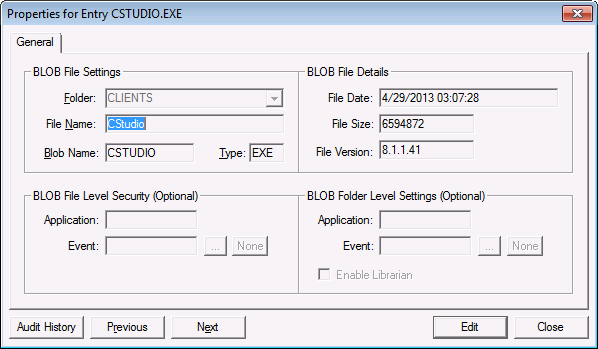
File information can be viewed in the Properties for Entry <file name> dialog box.
- Right-click in the service pane and select New to upload (add ) a new file to the BSS.
- Right-click a file name and select Properties (or double-click) to view information about the file. By default the Properties for Entry <file name> dialog box opens in View (or read-only) mode. Use the Previous and Next buttons to scroll through the files in the BSS in View mode.
- Click Edit to modify a file record. The Previous and Next buttons are disabled in Edit mode.
- Click Audit History to view an audit history trail for the file record. See Auditing for more information about how auditing works in CygNet Software.
Manipulate Folders and Files Via Script
See CxScript.FileSystemObject for manipulating folders and files in a BSS.

